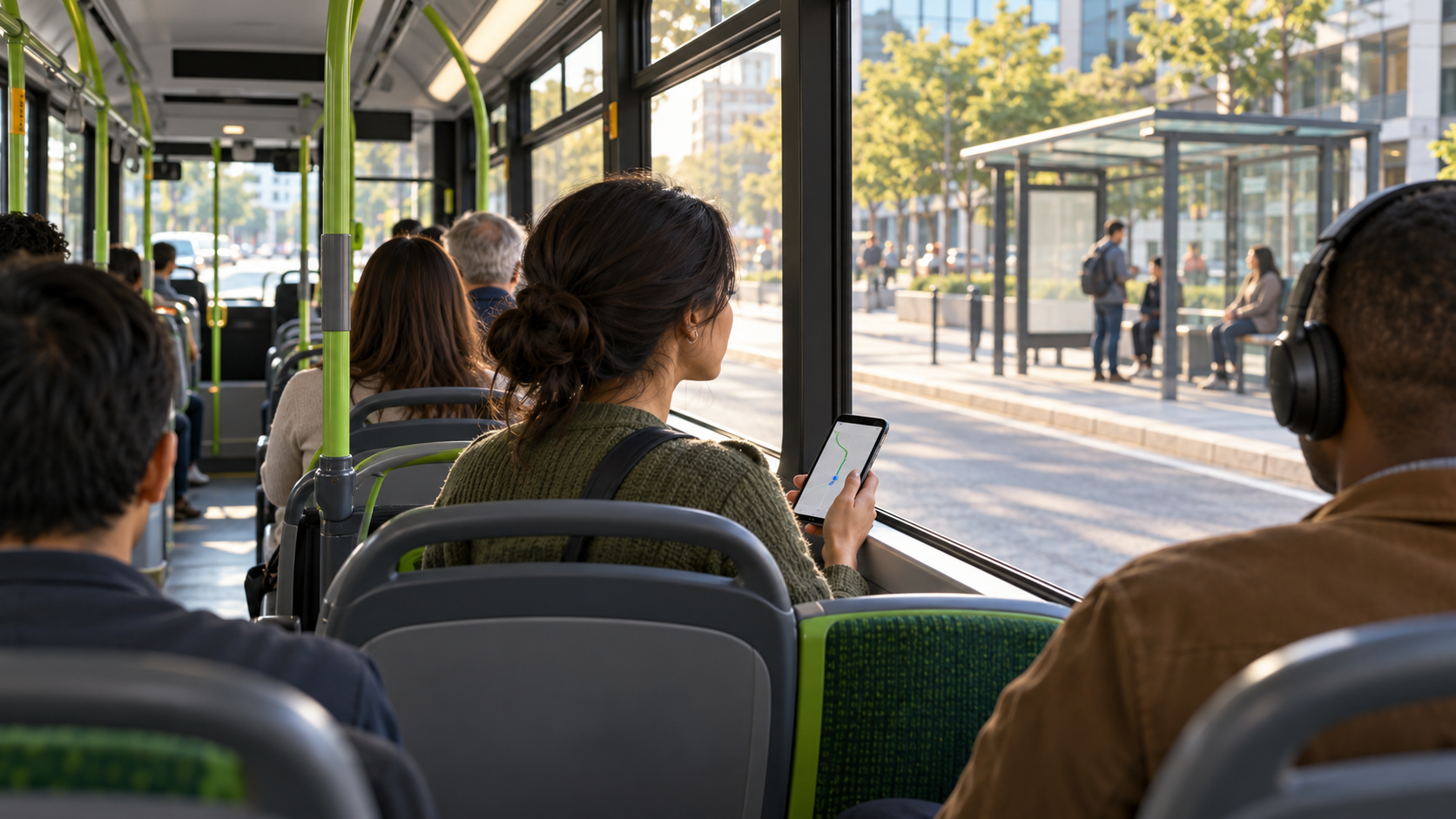
Quick answer: save the exact name of your destination stop and the stop immediately before it. Follow the bus in an official journey planner or listen and look for onboard next-stop information. When the bus leaves the previous stop, press the stop button, pull the cord or use the local request system once. Confirm the chime or “stop requested” indicator, gather your belongings and wait for the bus to stop before moving to the exit.
Do not rely on one clue. GPS can drift, displays can be unavailable and street landmarks can be hard to see after dark. The most reliable approach uses three cues together: the route on your phone, the bus’s own announcements or display, and the view outside.
Why knowing where to get off can be confusing
Bus stops are less predictable than railway stations. A stop may have a formal name that is different from the nearby landmark. Several stops can share similar names. The vehicle may take a one-way loop, serve different branches or use a temporary diversion. Some buses stop automatically, while many stop only after a passenger requests it.
Technology also varies. Singapore’s Land Transport Authority describes buses with route information, upcoming-stop displays and audio announcements, while Auckland Transport notes that audio coverage has been introduced across its network. TransLink in Metro Vancouver tells riders to request a bus stop with a yellow cord or red button. The useful features and exact stopping rules depend on the vehicle and operator.
1. Save the exact stop before boarding
A destination address is not enough. In your route plan, record:
- the route number or name;
- the destination shown on the front of the bus;
- the exact stop name and stop ID, where available;
- the stop immediately before your destination;
- the expected number of stops;
- the side of the road or direction of travel; and
- a safe landmark near the stop.
Check that the destination on the approaching bus matches the correct direction or branch. A route number can operate in two directions, and a short-turn service may finish before your stop. Our step-by-step public transport planning guide explains how to verify the complete trip before you leave.
2. Memorize the stop immediately before yours
The previous stop is your action cue. When the bus reaches or leaves it, request the next stop. This gives the driver time to move safely toward the curb and prevents a last-second scramble.
Save both names in a note or screenshot:
- Previous stop: get ready and request the stop.
- Your stop: confirm the name, wait for the vehicle to stop and exit.
This method still works when a live map lags by a few seconds. It also helps when the stop request control must be used before the destination is visible.
3. Follow the trip on a live map
Open the planned trip after boarding and confirm that the location marker is moving along the correct route. Many official apps show the route, real-time position or upcoming stops. Singapore’s MyTransport.SG provides route information and real-time location, and Auckland Transport says its mobile app can alert riders as their stop approaches.
Keep the map zoomed far enough out to see the next few stops. Watch the route line rather than the estimated arrival time alone. Traffic can change the time without changing the order of stops.
GPS is a supporting cue. Dense buildings, tunnels, poor mobile coverage and battery-saving settings can delay the marker. Download the route or take a screenshot when connectivity is uncertain. For the difference between timetable data and live predictions, read our guide to scheduled versus real-time transit arrivals.
4. Use onboard announcements and displays
Look near the front or ceiling for a next-stop screen, and listen for audio announcements. TriMet says its buses display and announce the next stop. Transport for London’s bus specification includes next-stop names, route destination information and a “bus stopping” confirmation. TransLink notes that its automated rail services stop at every station, while bus passengers normally request the next stop.
Match the onboard stop name with the one you saved. Do not assume that the announcement describes the place the bus is passing now; it usually announces the upcoming stop. If the screen and phone disagree, use the official onboard announcement and ask the driver when it is safe to do so.
Read our guide to route maps, directions and transfers if a branch, terminus or loop makes the stop order unclear.
5. Use outside landmarks as a third check
Before boarding, inspect the area around your stop on a map. Choose one or two features visible from the bus, such as a bridge, park, large intersection, public building or distinctive bend in the road. Avoid relying only on a shop that may be closed or an advertisement that can change.
Street names and stop poles can help, but they may be hard to read from a moving vehicle. At night, focus on the route shape and larger landmarks. Keep enough attention on the vehicle so you notice a diversion or announcement.
6. Ask the driver or another passenger early
If you are uncertain, ask when boarding: “Could you please tell me when we reach [stop name]?” Show the written stop name if pronunciation is difficult. Transport for NSW advises passengers with vision impairment to tell the driver where they wish to alight, and Singapore’s LTA says riders may approach the bus captain for assistance.
Ask before the bus moves or while it is safely stopped. Do not distract the driver in traffic. Sit where you can hear the driver or announcements, then continue tracking the route yourself because the driver may be handling traffic, fares and other passengers.
For useful phrases and offline preparation, see how to use public transport without speaking the language.
7. Request the stop at the right time
On many buses, the vehicle will pass a stop unless someone requests it or a passenger is waiting to board. The request control may be:
- a button on a pole or wall;
- a cord above the windows;
- a push strip beside the window;
- an accessible stop button with a distinct symbol; or
- a spoken request on small or hail-and-ride services.
Use the control once after the bus leaves the stop before yours. Auckland Transport asks riders to allow enough time for a smooth, safe stop. Transport for NSW similarly tells passengers to ring the bell with plenty of time before the stop.
Pressing repeatedly does not make the bus stop sooner. If someone has already requested the stop, the control may not chime again.
8. Confirm that the stop request registered
Look or listen for confirmation:
- a chime or bell;
- a lit “stop requested” sign;
- a symbol on the display; or
- the driver acknowledging a spoken request.
TriMet describes a chime followed by an illuminated stop-request sign. Transport for NSW says a next-stop sign lights when the request is active. If there is no confirmation and the control appears faulty, try another control once or alert the driver while the bus is stopped.
9. Prepare to exit without standing too early
Close the route app, secure the phone and check your seat for bags, tickets and personal items. Follow the operator’s safety guidance about when to stand. Transport for NSW advises riders to remain seated while preparing and move after the bus has stopped; other systems may expect passengers to approach the exit earlier when safe. Hold a rail whenever you are standing.
Use the door indicated by the operator. Some networks prefer the rear door to keep boarding and exiting passengers apart, while riders who need assistance may use the front. Wait for the doors to open fully and watch the gap, curb, cycle lane and traffic as you step down.
If the fare system requires tapping off, use the correct reader before leaving. Our fare-payment guide covers tap-on and tap-off systems.
10. Plan accessible stop information before the trip
If you cannot reliably see or hear the normal cues, check which alternatives the operator provides. These can include audio announcements, high-contrast displays, tactile stop controls, accessible request buttons, travel training or driver assistance.
Transport for Ireland asks riders with visual impairment to tell the driver where they wish to travel so they can confirm the correct bus. Transport for NSW describes accessible stop buttons that tell the driver to pull in close, lower the bus and offer help. Requirements vary, so arrange any needed assistance for the exact route and time.
Our accessible public transport checklist covers the stop, vehicle, boarding process and destination path together.
11. Recheck the stop during diversions
Roadworks, events and traffic incidents can cause a bus to skip, relocate or serve stops in a different order. A live location marker may show the vehicle off its normal route before the trip planner updates.
If the bus turns away from the saved route, check official alerts and listen for driver announcements. Ask whether your stop is still served and which temporary stop is safest. Do not get off on an unfamiliar road simply because it looks geographically close; a motorway, river, railway or unsafe crossing may block the walking route.
Use our public transport disruption guide to decide whether to stay onboard, transfer or reroute.
What to do if you miss your bus stop
- Stay calm and remain safely onboard.
- Request the next normal stop.
- Check whether walking back is safe and practical.
- If it is not, plan a return bus or another verified route.
- Ask the driver for guidance while the bus is stopped.
- At night, prefer a well-lit, populated stop with a safe crossing.
Never ask to leave between designated stops unless the operator offers a specific night-stop or hail-and-ride policy and the driver confirms that the location is safe. Do not step into traffic or cross directly in front of the bus. Wait until you have a clear view in both directions.
For broader personal-safety habits, see how to stay safe on public transport.
Helping a child know where to get off
Give the child the route number, stop name, previous stop and a backup plan in writing. Explain how to request the stop and what confirmation looks or sounds like. Transport for NSW recommends discussing what to do if a child catches the wrong bus or gets off at the wrong stop.
The backup plan should keep the child onboard until a safe stop, then direct them to a trusted adult, driver or agreed contact. Our guide to public transport with children includes preparation for families and independent young riders.
Bus stop arrival checklist
- Correct route, direction and branch confirmed
- Exact destination stop saved
- Previous stop saved as the action cue
- Live route or offline screenshot ready
- Onboard display and announcements checked
- One or two outside landmarks identified
- Stop control located after boarding
- Request made after the previous stop
- Chime or stop-request indicator confirmed
- Tap-off and safe exit requirements remembered
Frequently asked questions
When should I press the stop button on a bus?
Press it after the bus leaves the stop immediately before yours. This normally gives the driver enough time to stop safely.
Do buses stop at every stop automatically?
Many do not. They may stop only when a passenger requests it or someone is waiting to board. Rail and bus rapid transit services may follow different rules.
How do I know the stop button worked?
Listen for a chime and look for a stop-requested light, message or symbol. If there is no confirmation, try another control once or tell the driver while stopped.
Can I ask the driver to tell me where to get off?
Yes. Ask while boarding or when the bus is safely stopped, and show the written stop name if useful. Continue following the route as a backup.
What if the map says I passed my stop?
Compare the phone with the onboard display and outside location because GPS can lag. If you have passed it, request the next safe stop and plan the return from there.
The practical takeaway
Know two names: your stop and the stop before it. Follow the route with at least two independent cues, request the stop after leaving the previous one and confirm that the request registered. If you miss the stop, stay onboard until the next safe place and reroute calmly. That simple routine works across many bus systems worldwide.
Official sources and further reading
- TransLink Metro Vancouver: transit for new riders
- TriMet: requesting a stop
- TriMet: riding the bus
- Transport for NSW: safety when traveling by bus
- Transport for NSW: boarding and alighting guidance
- Auckland Transport: on the bus
- Singapore LTA: route and next-stop information
- Transport for London: next-stop audio and visual information
- Transport for Ireland: bus exit safety
- Transport for Ireland: traveling with a visual impairment