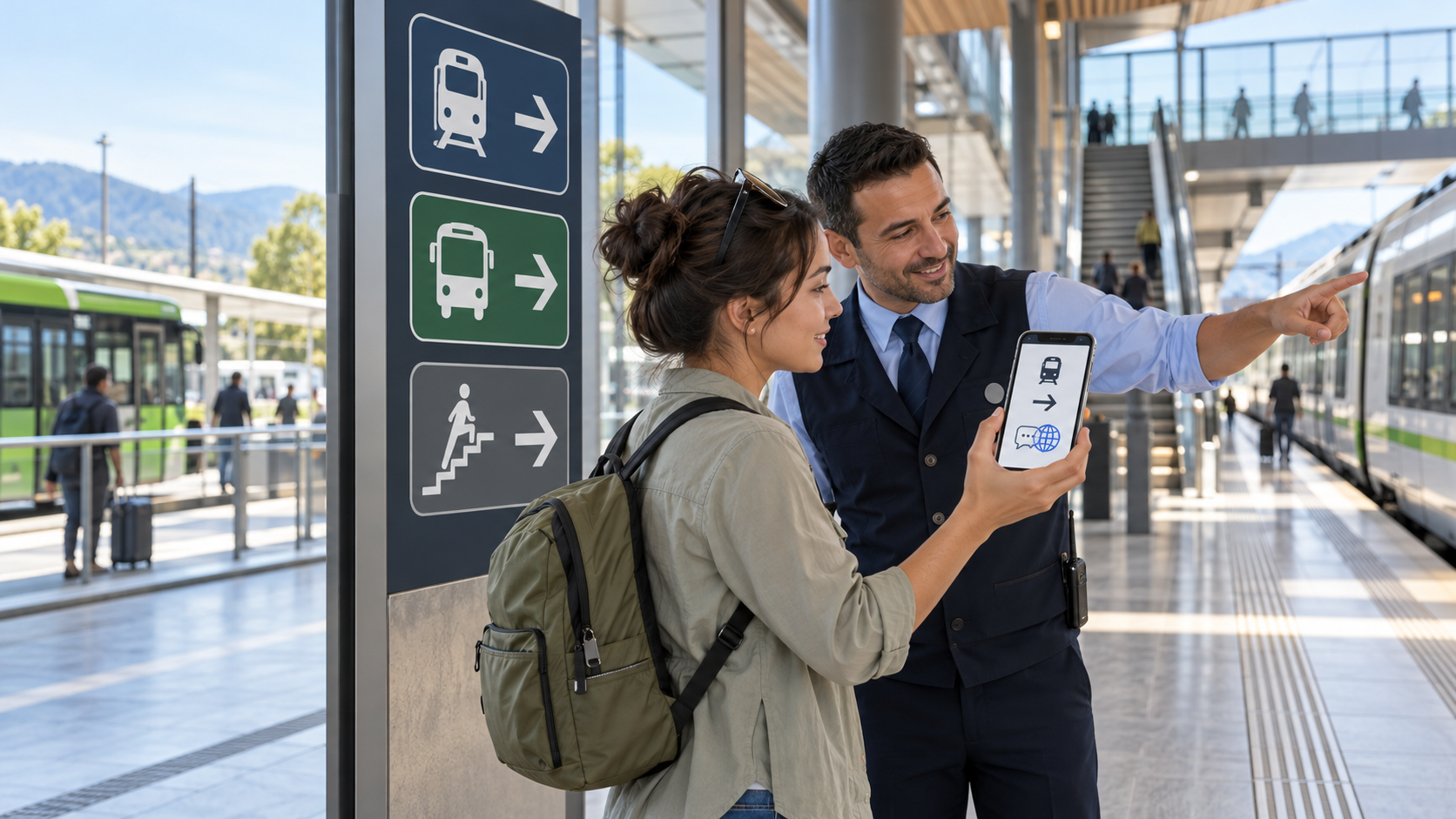
Quick answer: you can use public transport without speaking the local language by preparing a route that relies on names, line colors, route numbers, station codes and destination signs rather than conversation. Save the official map and tickets offline, learn how to pay, screenshot each transfer, and keep your destination written in the local script. At the station, confirm the line, direction and next stop. If you need help, show staff one specific question on your phone instead of trying to explain the whole journey.
Language barriers feel most stressful when several small decisions arrive at once: which entrance, which fare, which direction and whether an announcement changes the plan. The solution is not to translate everything. It is to reduce the trip to a few identifiers that stay useful in any language.
This guide works worldwide across buses, metros, trains, trams and ferries. Local rules still matter, so treat official operator information and staff instructions as the final authority.
1. Prepare the journey as a sequence of identifiers
Before leaving reliable internet, record the trip in a compact format:
- origin name in both your language and the local script;
- line name, number or letter;
- line color as a secondary clue;
- direction shown by the terminus or major station;
- transfer station name and code;
- destination station or stop code;
- the stop immediately before your destination; and
- exit number, street or landmark.
Write it as a short chain, such as: Central Station → Line B toward Riverside → change at Museum → Route 4 toward North Terminal → exit 3. Preserve the official names exactly. A translated nickname may not match signs or search results.
Tokyo Metro explicitly recommends remembering the station name, station number and line color. Its station codes combine a line letter with a number, giving unfamiliar riders a language-light way to check direction and count stops. Where a network uses similar codes, make them the backbone of your route.
2. Find official information in a language you understand
Start with the transport authority or operator’s website, app or visitor guide. Look for a language selector rather than relying immediately on automatic translation. An official translated guide is more likely to preserve the operator’s exact fare names, warnings and transfer terms.
Multilingual help is not limited to famous tourist systems. Transport for NSW publishes public-transport essentials in several languages and offers an interpreter service. Metro Vancouver’s TransLink publishes new-rider information in multiple languages and says its telephone service can add a certified translator in more than 300 languages. Denver’s RTD has added language-help decals on buses to direct riders to multilingual information.
Availability changes by place and time, so save the official support page and operating hours. Do not assume every staff member speaks a particular language or that an interpreter can join instantly.
3. Build an offline travel pack
Connectivity can disappear underground, in tunnels, across borders or when a visitor SIM fails. Save:
- the current official network map;
- screenshots of each leg and transfer;
- tickets, booking references and QR codes;
- the destination address in the local script;
- the operator’s contact and lost-property details;
- the accommodation address and phone number; and
- one backup route.
Make sure QR codes remain available outside an email or app screen that requires a connection. Increase screen brightness only when scanning, then reduce it to preserve battery. Carry a power bank where local security rules allow it.
A screenshot is a fallback, not live information. Note the date and check disruptions shortly before travel. If you are unsure how the diagram works, read our guide to reading public transport maps, directions and transfers.
4. Keep names in the local script
Transliteration can vary. One app may spell the same station differently from a printed map, and a translated place name may be unknown locally. Save the official local-script version beside a pronunciation or translation you understand.
Use copy and paste rather than retyping unfamiliar characters. When asking for help, show the destination name at a large size. Include the route or station code if available. A staff member can usually act faster on a precise identifier than on a long translated paragraph.
Do not translate addresses word by word. Street types, district names and proper nouns may change meaning. Preserve the full official address and a map pin.
5. Use translation tools for short, concrete questions
Download the required language pack before the trip if your translation app supports offline use. Camera translation can help with ticket-machine menus or notices, while speech translation can support a short conversation. But machine translation can misread abbreviations, place names and service terminology.
Ask one question at a time:
- “Which platform for this station?”
- “Does this train stop here?”
- “Where can I buy this ticket?”
- “Is this lift working?”
- “Where is the replacement bus?”
Show the destination or ticket beside the translated question. Avoid slang, idioms and multi-part requests. Let the other person read the screen; do not point a camera at someone’s face without consent.
6. Navigate with symbols, codes and stop sequences
Universal pictograms for trains, buses, lifts, exits, toilets and information desks reduce the amount of language you need. Line badges, colors and station numbers provide additional checks. Color should remain secondary because multiple services can share it and colors may be hard to distinguish.
Inside the station, follow this order:
- find the mode or line symbol;
- match the line number, letter or badge;
- match the terminus or direction;
- confirm the platform;
- check that the next stop follows your origin on the route; and
- board only after the service and destination match.
Tokyo Metro’s official guide follows the same logic: passengers use the line symbol and overhead arrows, then confirm platform direction using station names, numbers and major stops.
7. Understand payment before reaching the gate
Fare systems can be harder than the language itself. Check whether the network accepts contactless bank cards, a local transit card, mobile payment, cash, a paper ticket or advance booking. Confirm whether you must tap on, tap off, validate a ticket, select zones or retain a ticket for exit.
Use the operator’s exact product name in screenshots. A generic phrase such as “day pass” can refer to several products with different geographic or time limits. If buying from a machine, switch to a supported language before inserting money or selecting a fare.
For international travel, check card fees and carry a permitted backup payment method. Our guide to paying for public transport abroad explains contactless cards, apps, cash, zones and validation in more detail.
8. Know where and how to ask for help
Prefer official help points: staffed ticket offices, information counters, platform staff, drivers where local practice allows questions, emergency intercoms for genuine emergencies and published customer-service channels.
Prepare a “show screen” containing:
- your destination in the local script;
- the intended route and direction;
- your ticket or fare product;
- one concise question; and
- any essential accessibility need.
Transport for NSW advises riders to ask staff at major stations, stops and interchanges and to look for language pins. TfL offers a travel support card that riders can use to communicate the help they need. These examples show why checking the local network’s assistance tools before traveling is worthwhile.
9. Handle announcements you cannot understand
Do not depend on audio alone. Watch onboard screens, platform displays, route diagrams and the progress of your phone’s offline map. Remember the stop before yours so you can prepare without translating the entire announcement.
If everyone suddenly leaves a vehicle, the destination changes or the train skips expected stops, get off at a staffed safe location and reassess. Look for an alert symbol or changed destination display. Compare the official service-alert page with your planned route.
Automated translation of a loud announcement may be inaccurate. Ask staff a concrete question about your service rather than assuming the translation is complete.
10. Make a language-proof disruption plan
Disruptions introduce unfamiliar vocabulary and temporary routes. Before traveling, identify:
- an alternative line or parallel route;
- a safe staffed interchange;
- the official alert page;
- the phrase or symbol for replacement transport;
- the last practical departure; and
- a budget for an alternative mode if the network closes.
If the service changes, stop moving long enough to confirm the new plan. Following a crowd can take you to a different destination. Our step-by-step disruption guide provides a structured wait, reroute or abandon decision.
11. Protect privacy and personal safety
Translation and navigation tools can expose personal information. Avoid handing an unlocked phone to a stranger. Show only the screen needed, hide booking details that reveal personal data and keep the device secure near doors and crowded platforms.
Use official staff and help channels when possible. Do not follow an unofficial helper to an isolated area, reveal where you are staying unnecessarily or accept an unverified fare arrangement. In an emergency, use the local emergency number or official station intercom; save the number before travel.
If you need step-free routes, assistance or predictable boarding, prepare those details independently of the language plan using our accessible public transport journey checklist.
Bus-specific language barrier tips
Buses usually demand more street-level decisions than metros. Confirm the stop ID, route number and destination sign. Opposite directions may board on different sides of the road, and several routes may share one stop.
Find out whether you must signal the bus, board at the front, state a destination, request your stop or tap when exiting. Save the stop before yours and watch vehicle progress. If asking the driver, do it while the bus is safely stopped and keep the question brief.
Train-specific language barrier tips
Intercity rail may involve reserved coaches, seat numbers, train categories and platform changes. Match the train number and final destination, not only the departure time. Confirm whether a ticket is valid for a specific train or any departure.
At large stations, identify the platform, coach position and transfer path before boarding. Allow extra time because changing between operators may involve a new ticket area. For connections, use our guide to choosing enough transfer time.
A practical pre-trip language checklist
- Official route, ticket and alert sources saved
- Language pack downloaded for offline use
- Origin, transfer and destination saved in local script
- Line badges, station codes and terminus recorded
- Tickets and QR codes available offline
- Payment and validation rules understood
- Stop before destination remembered
- One backup route saved
- Operator help and interpreter services identified
- Emergency number and accommodation address stored
- Phone charged and power backup ready where permitted
Frequently asked questions
Can I rely only on a translation app?
No. Use it as one tool alongside official maps, line codes, destination signs and staff. Apps can misread station names, abbreviations and noisy announcements.
Should I translate the station name?
Keep the official local-script name and code. Add a translation or pronunciation for yourself, but show staff and search tools the official name.
What should I save offline?
Save the official map, every route leg, transfer instructions, tickets, local-script addresses, operator contacts and a backup route.
How do I avoid going in the wrong direction?
Match the line badge, terminus and next stop before boarding. Station codes and the stop sequence are often easier to verify than translated direction words.
Can I ask a bus driver for directions?
Local practices vary. Ask only while the vehicle is safely stopped, show one precise destination or question and do not distract the driver.
The practical takeaway
You do not need fluent conversation to make a reliable transit trip. Prepare exact names and codes, preserve the local script, save everything essential offline, learn the fare rules and reduce help requests to one concrete question. Use translation for clarification, not as the only source of truth, and always recheck live operator information before departure.
Official sources and further reading
- Tokyo Metro: before getting on the subway
- Tokyo Metro: station numbers and multilingual subway maps
- Transport for NSW: public transport essentials and language help
- Transport for NSW: interpreter and customer support
- TransLink: multilingual transit information for new riders
- Denver RTD: multilingual language-help access
- Transport for London: travel support card and guides
- GTFS: official translation fields for passenger information